Level 6 · Case study
A Telegram bot that lets my co-founder run her booking calendar
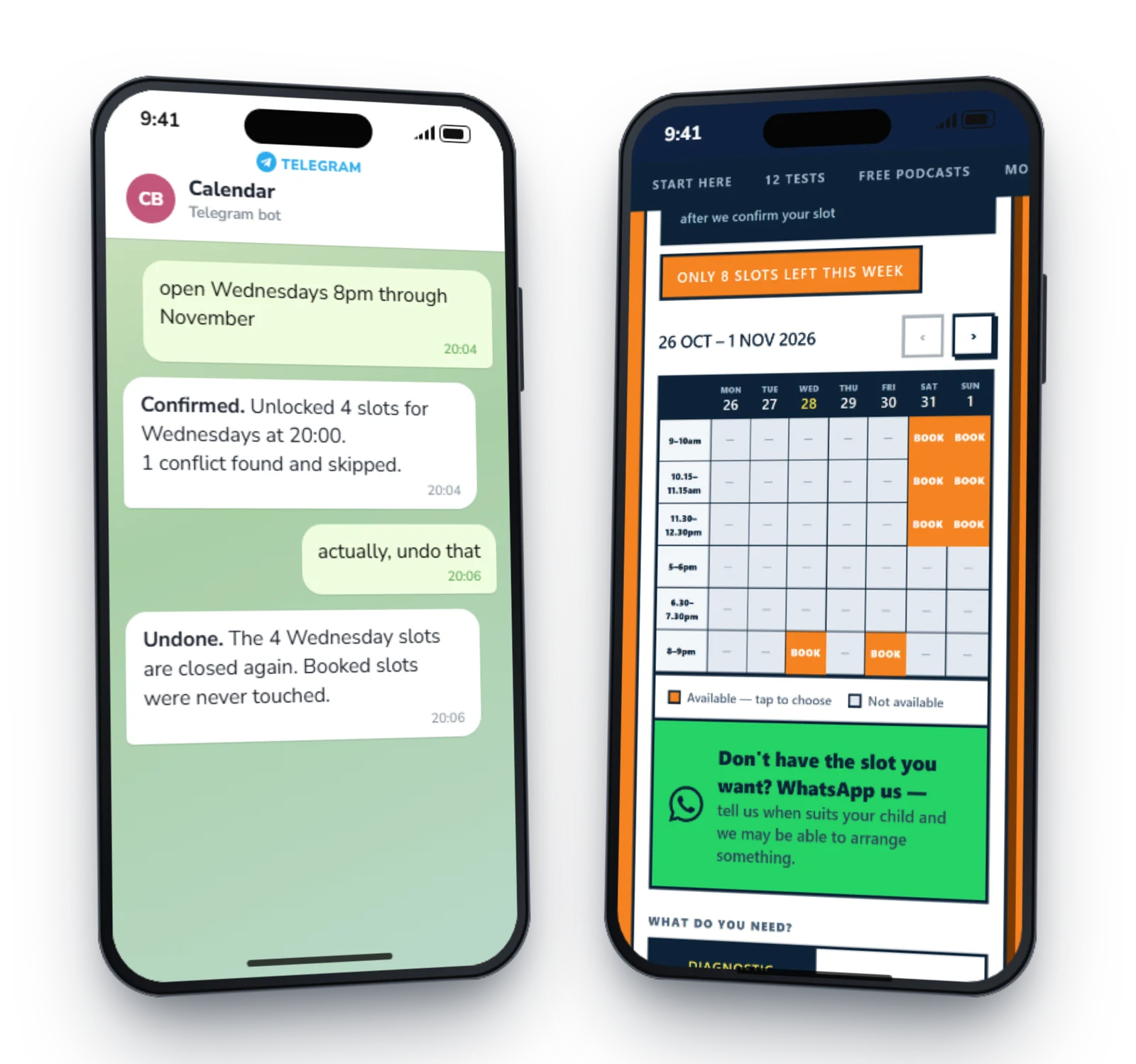
My co-founder teaches full-time and wanted to change her own booking calendar anytime, without learning new software. So I built a Telegram bot. She sends one message, from anywhere, and the slots open or close. It never touches a slot a parent has already booked.
Live · private, happy to show you · Updated
Why build it?
My co-founder runs the lessons, so she knows best when she is free. She needed to change her calendar herself, at any time, from her phone. Telegram was already on her phone, so the calendar lives there too.
How does the texting calendar work?
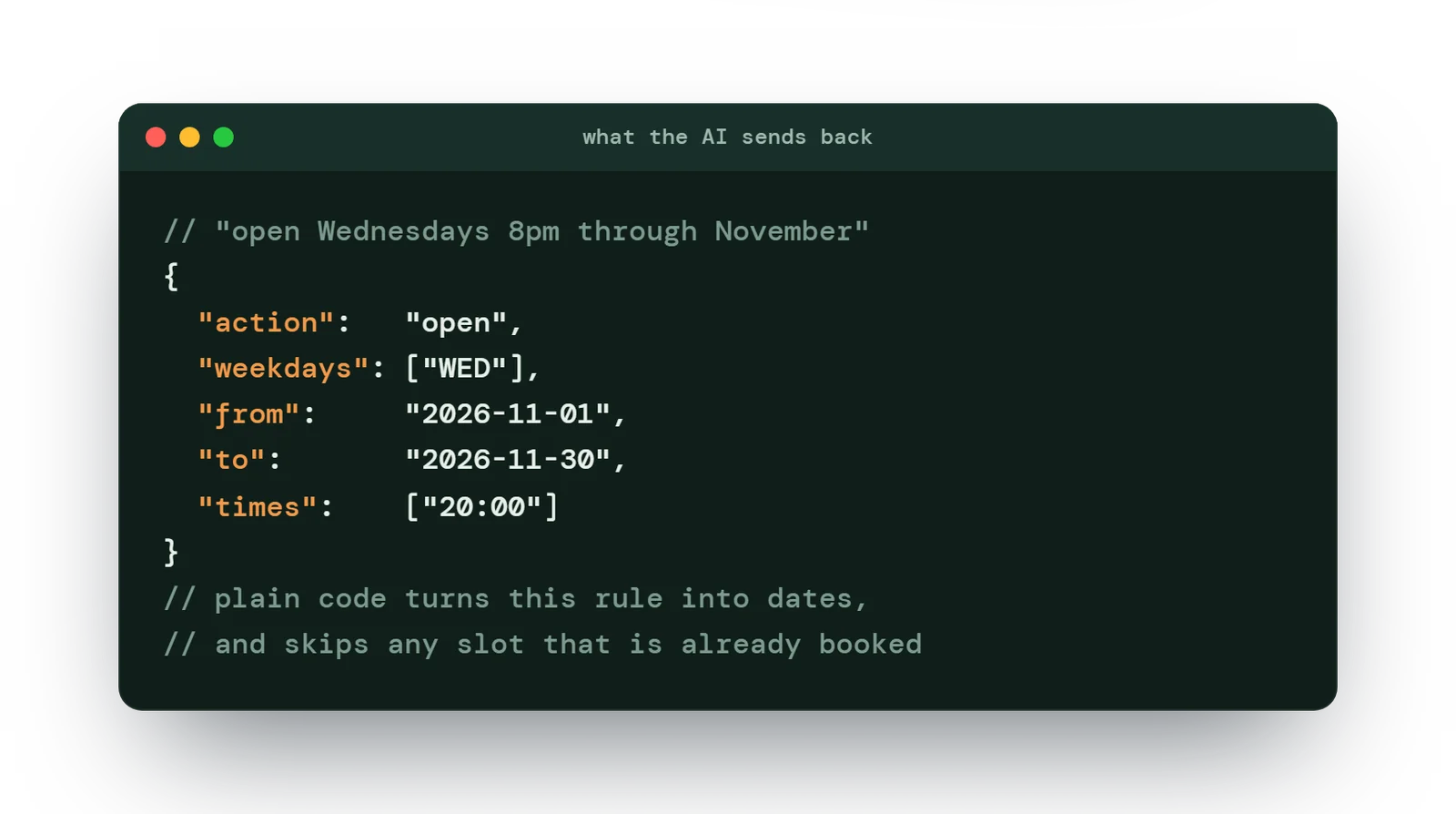
She sends a message like “open Wednesdays 8pm through November”. The AI turns it into a simple rule. Plain code then works out the dates and adds the slots.
It skips any slot a parent has already booked.
What if she makes a mistake?
She sends one more message: /undo. The bot reverses her last change and tells her exactly what it put back. Bookings parents have made are never affected.
Because every change can be undone, she can try things without worrying about breaking the calendar. The commands also pop up as she types, so she never has to remember the wording.
How does she hear about new bookings?
When a parent books a slot, the booking details arrive in the same Telegram chat straight away, with a link to manage the slots. So changing the calendar and seeing new bookings both happen in one place, on her phone.
Why does the AI not touch the calendar itself?
The AI only reads the message. Ordinary code does the dates and the booking sheet, and it refuses to change a slot that is already booked. A calendar mistake then shows up as a failed test, not as a parent booking the wrong evening.
Key facts
- Who uses it
- My co-founder, from her phone, anytime
- Safety
- Never changes a booked slot
- Undo
- One message reverses any change.
- New bookings
- Sent to her on Telegram straight away
- Tested by
- 27 automatic tests
- Built with
- Claude Code · Telegram · Gemini · n8n · JavaScript